
Using HTML and iFrames to Embed Your HVL Within Your Website
Only current Medmovie Hx Video Library subscribers are able to view this page.
See also: Accessing and Using Your HVL
Medmovie currently provides flexible options to display your Hx video library (HVL) within your own website.
Embedding will require some html editing and the use of the iframe html tag, so your web developer may need to assist you.
Two Embed Options
There are two embed options from which to choose; see below.
Both options are fully responsive and their implementation process is similar. We have built examples of both options for reference.
1. Single Video
The Single Video option allows a single video to be embedded on a page of your choosing.
It is ideal when you simply wish to include a video within the flow of other content or on its own.

Single Video Example Link for Embedding
As example, the SOURCE_URL of the Medmovie HVL ICD video is: https://medmovie.com/library_id/3170/topic/cvml_0077a/
Add /embedded-vbasic/ to the end of your source url: https://medmovie.com/library_id/3170/topic/cvml_0077a/embedded-vbasic/
2. Full Library with Sidebar
The Full Library option includes a complete interface for browsing your video library, complete with a convenient search tool and annotations.
It can be linked to either the root library OR a single video.
Navigation and text colors can be customized to better match your branding.
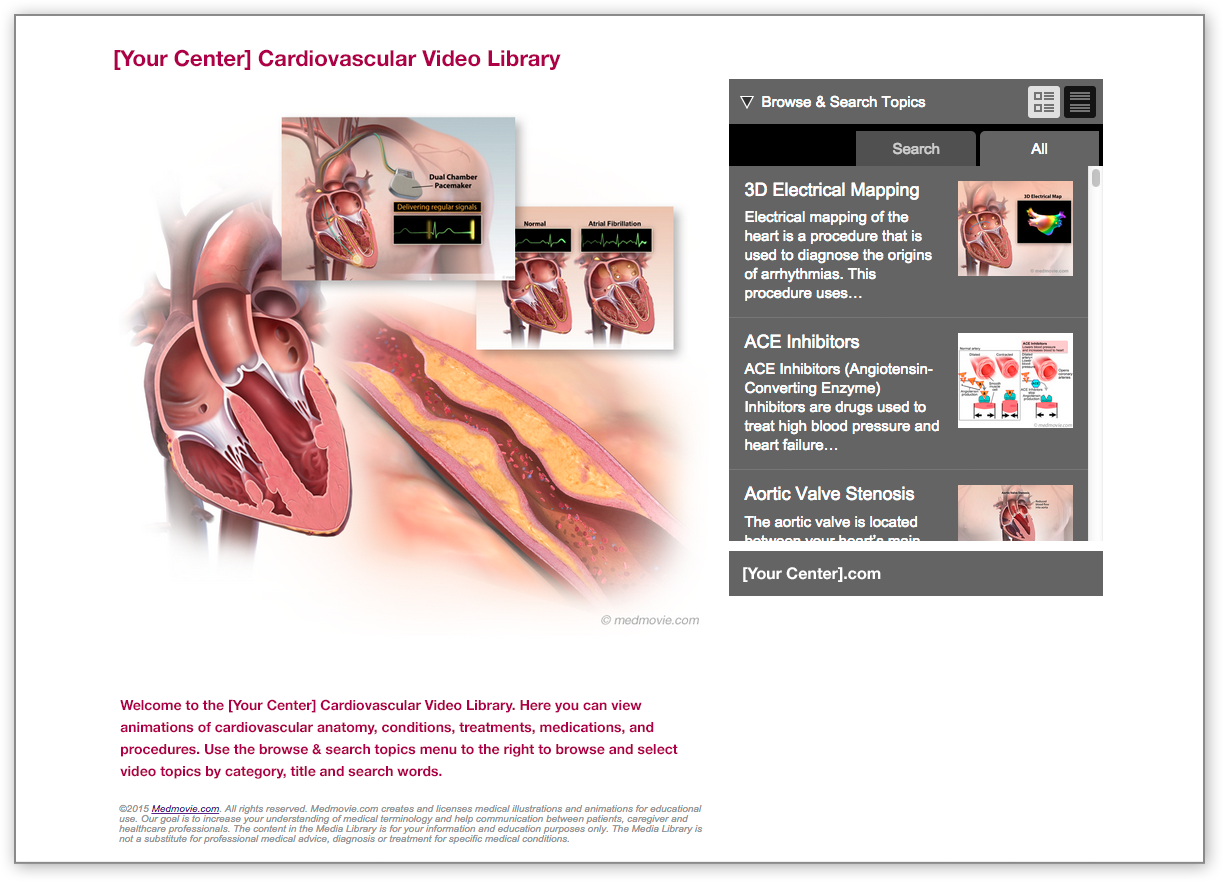
Full Library Example Link for Embedding
As example, the SOURCE_URL of the Medmovie HVL ICD video is: https://medmovie.com/library_id/3170/topic/cvml_0077a/
Add /embedded2/ to the end of your source url: https://medmovie.com/library_id/3170/embedded2/
Inserting the HTML into Your Website
Medmovie provides an iframe method of embedding HVL content.
The example single video code below (and linked above) shows:
1) Javascript to help content sizing
2) CSS styling
3) and the iframe tag.
Your or your developers may decide or need to customize how the iframe is implemented depending on your website’s needs.
Note
For successful cross-browser embed content display, make sure to start the embed link url with https:// rather than http://
How do I find the source url from my library that should go in the iframe tag?
You can find the links to particular videos or your library’s home page by either logging into your subscriber library OR by directly navigating to your standalone library (i.e. https://medmovie.com/library_id/3170/ ), finding the specific video you’d like to embed, and copying its url at the top of your browser window.
Learn more about accessing and using your subscriber libraries here
Can I use multiple embed styles within my website?
Yes! How you choose to embed your own HVL content on your own website is entirely up to you and your company and website’s needs. For example, you may choose to highlight the entire library on a given page, and then find it appropriate to only spotlight very specific videos on other pages.